Core Concepts
This page is the mental model. TaskNotes Gantt has a small number of settings, but they interact — and some have real consequences (dragging a parent moves its children; a child's dates can reshape its parent). Understanding how the chart thinks makes every later setting obvious.
New to TaskNotes?
TaskNotes Gantt is a companion to TaskNotes, a
task-and-note plugin for Obsidian. TaskNotes is the system of record: it
owns what a task is, its scheduled / due dates, its blockedBy
dependencies, and its statuses — the Gantt just draws and edits them.
If those terms are new, skim the TaskNotes Core Concepts and Task Management pages first. You can still use the Gantt as a read-only timeline without TaskNotes — see The two modes below.
TaskNotes owns your data; the Gantt draws it
The Gantt is a view, not a database. When TaskNotes is installed, TaskNotes is the system of record: it owns what a task is, its dates, its dependencies, and its statuses. The Gantt reads those and renders them, and every edit you make on the chart is written back through TaskNotes' own API — so the timeline and the rest of TaskNotes never drift apart.
That single fact explains most of the plugin's behavior:
- The Gantt writes only the notes you act on — usually just one. Two exceptions: dragging a parent moves its whole subtree, writing each descendant; and the parent-date cascade can update a parent when a child's edit pushes past it. It never touches notes unrelated to your action.
- Anything TaskNotes doesn't model (dependencies, statuses) isn't available in the standalone mode below.
- Property names are not hard-coded. The Gantt resolves which properties mean "start", "due", "status", etc. from your configuration — see Settings → Fields.
Dates become bars
Each task becomes a bar spanning its start → end dates. With TaskNotes
these default to scheduled → due; you can map any TaskNotes date field
instead (see Settings → Fields).
| Light | Dark |
|---|---|
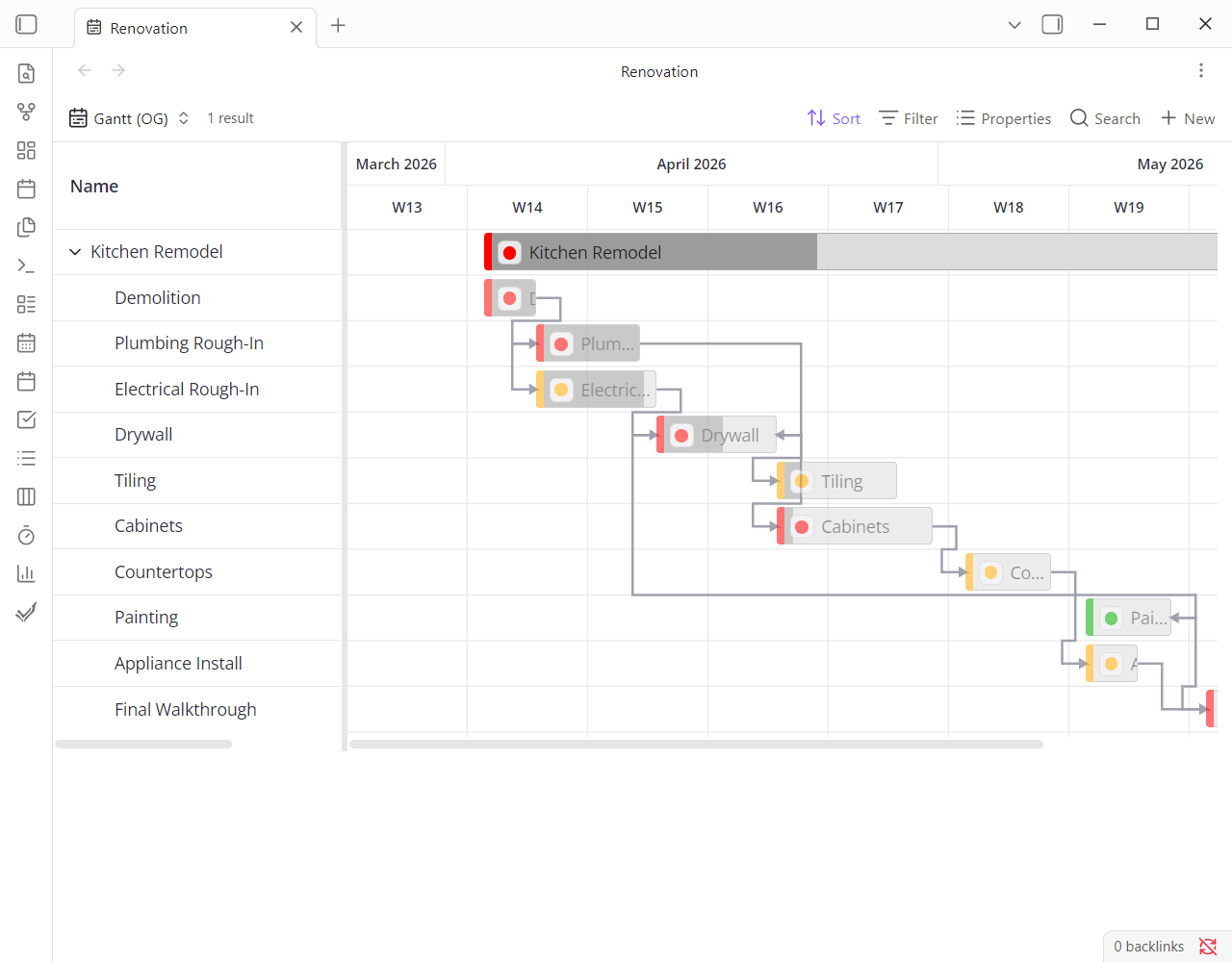 |
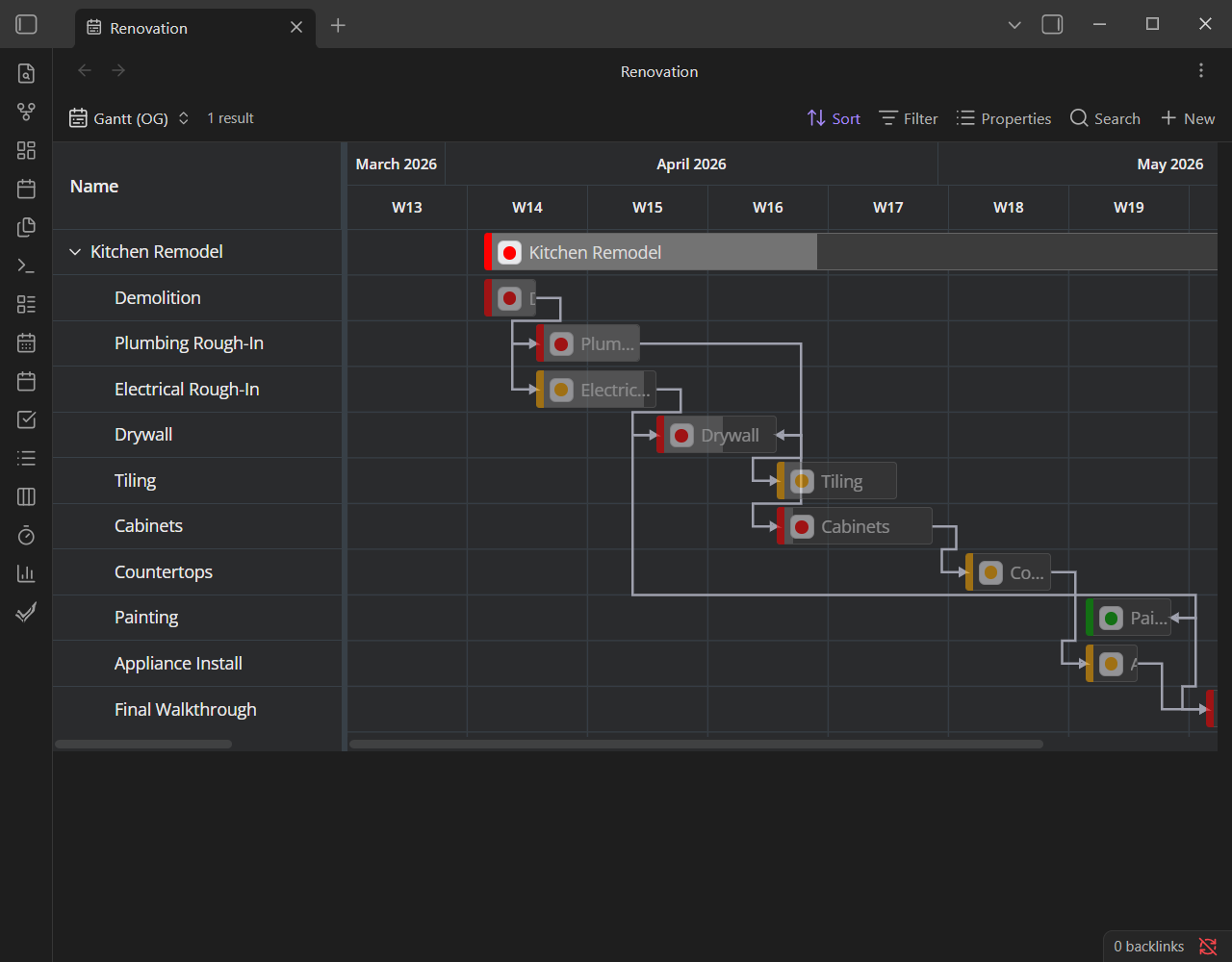 |
- Drag a bar to reschedule it; resize an edge to change its duration. Both persist back to the note.
- Tasks with only one date, or no dates, can still appear — controlled by Timeline settings. A missing end can be inferred from a time estimate.
See Scheduling & dates for the full behavior.
blockedBy becomes dependency arrows
TaskNotes records dependencies on each task's blockedBy list, following the
iCalendar RFC 9253 relationship model. The Gantt draws all four relationship
types (Finish-to-Start, Finish-to-Finish, Start-to-Start, Start-to-Finish) plus
gap/lag. You can create and delete Finish-to-Start links by dragging between
bars.
Why only Finish-to-Start authoring, for now?
TaskNotes stores dependencies to the iCalendar RFC 9253 model, so all four types are supported under the hood — and this Gantt already renders every one of them. What isn't built yet is the UI to author the other three: today you can only create and delete Finish-to-Start by dragging. Full authoring is on the roadmap — likely landing in TaskNotes itself (which I also work on), and once it's there, the Gantt already draws it.
Dependencies are a companion-only feature — Bases alone has no dependency model, so arrows never appear in standalone mode. See Dependencies.
Statuses and priorities become colors
With TaskNotes, bars can be colored by your configured status or priority palette, and can carry a small status/priority icon. Standalone, there's no task model to color by, so bars fall back to a structural default (green parents, blue children) or your Obsidian theme. See Colors, icons & weekends.
Parents and children roll up
If your tasks have a parent relationship, subtasks nest under their parent in the grid. The parent's bar shows its own dates — not a summary of its children, so a child can extend beyond it. This is where the most important consequence lives:
- Drag a parent and its whole subtree moves with it.
- Change a child's dates and the parent's span may need to grow to contain
it — the
Parent date updatessetting decides whether that happens automatically, after a prompt, or never.
The two modes
Almost every feature depends on which mode you're in. The Gantt detects TaskNotes automatically.
A full read/write view of your tasks. Everything works: scheduling with write-back, dependency arrows, status/priority colors and icons, progress, inline editing, and TaskNotes' native task menus. This is the main use case.
A read-only timeline over any Obsidian Base — and the majority of the plugin's features are unavailable here. Map start/end (and optional parent) date properties and your notes render as bars, but there is no write-back, no drag-to-reschedule, no dependency arrows, no status/priority coloring or icons, no inline editing, and no task menus — Bases has no task or dependency model to drive them. Bars still get the default hierarchy colors, and the timeline & display features (zoom, weekend shading, sizing) work. It's a viewer, not an editor, and not the experience this plugin is built for.
Throughout this documentation, companion-only features are marked so you always know which mode a setting applies to.