TaskNotes Gantt
The interactive Gantt timeline for your TaskNotes tasks in Obsidian.
TaskNotes Gantt is built first and foremost as a companion to TaskNotes. Point it at a Base over your tasks and get a live schedule — dependency arrows, drag-to-reschedule, progress bars, inline editing, and parent/child roll-up — with every change written straight back to your notes through TaskNotes.
💜 A note on pace — please read
I built TaskNotes Gantt to scratch my own itch, and I'm glad to share it with anyone it helps — but I have very little time for it, and I won't let a joyful project turn into a burdensome one. I genuinely welcome feedback and requests; I just can't promise to answer quickly, so please keep that in mind before you rely on it. The plugin is solid, and moving slowly is precisely how I keep it that way — the real reason for the Beta label. Read the full note → Development Cadence · What it's for → Vision & Philosophy
TaskNotes is the point
This plugin is designed to make TaskNotes tasks interactive on a timeline. Without TaskNotes installed, it still runs — but only as a read-only timeline over any Base, and most features are unavailable: no write-back, no dependency arrows, no status/priority colors or icons, no inline editing, and no task menus. If you're not a TaskNotes user, the standalone timeline is a viewer, not the tool this plugin is really for. See Core Concepts → The two modes.
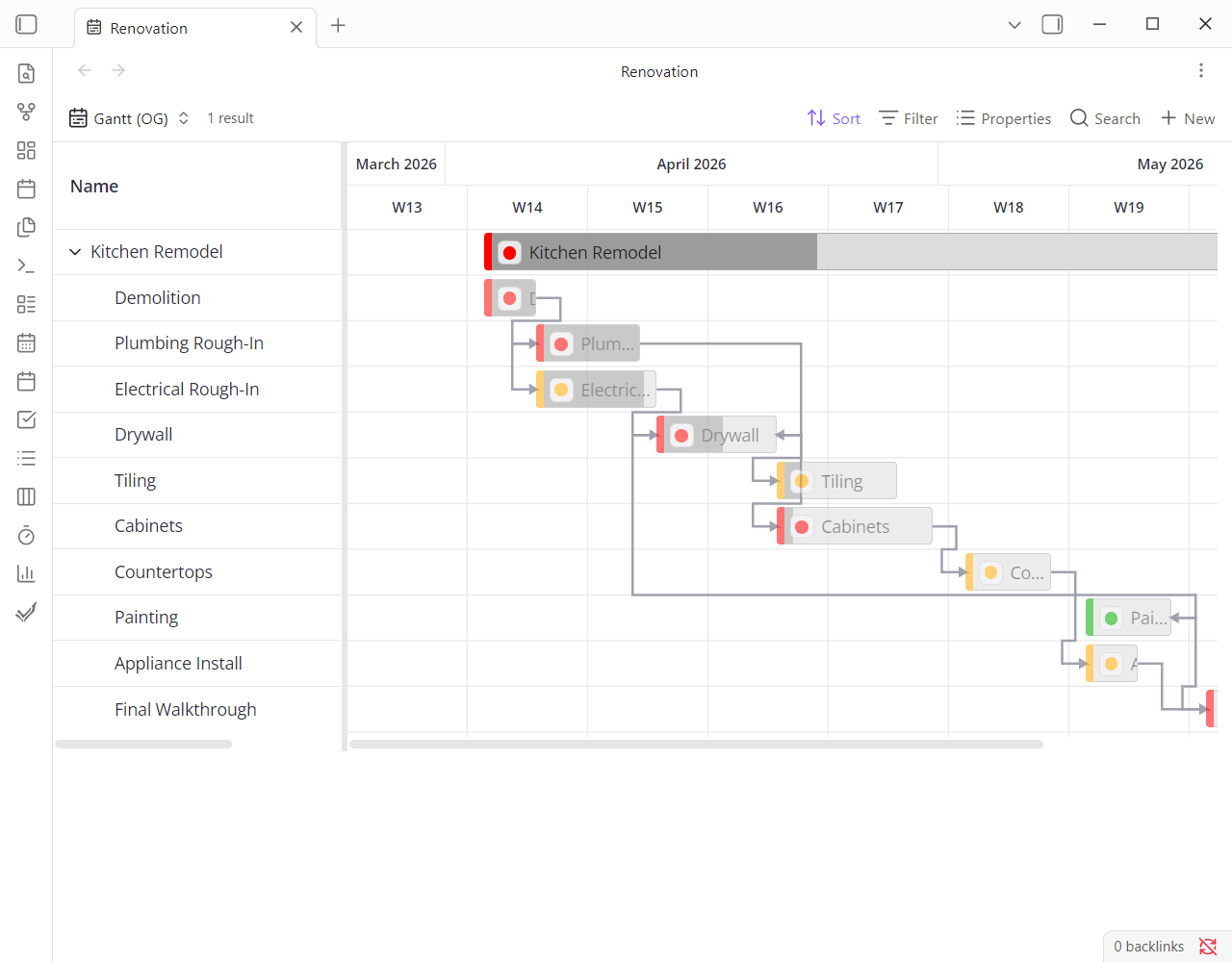
Standalone page or embedded — your call
Run the Gantt as a full-page Base in its own tab, or drop it into any note as
an embedded base code block. You can even put several gantts, each with
its own configuration, in the same note — here one note carries a weekly,
priority-coloured view and a monthly, status-coloured view of the same project:
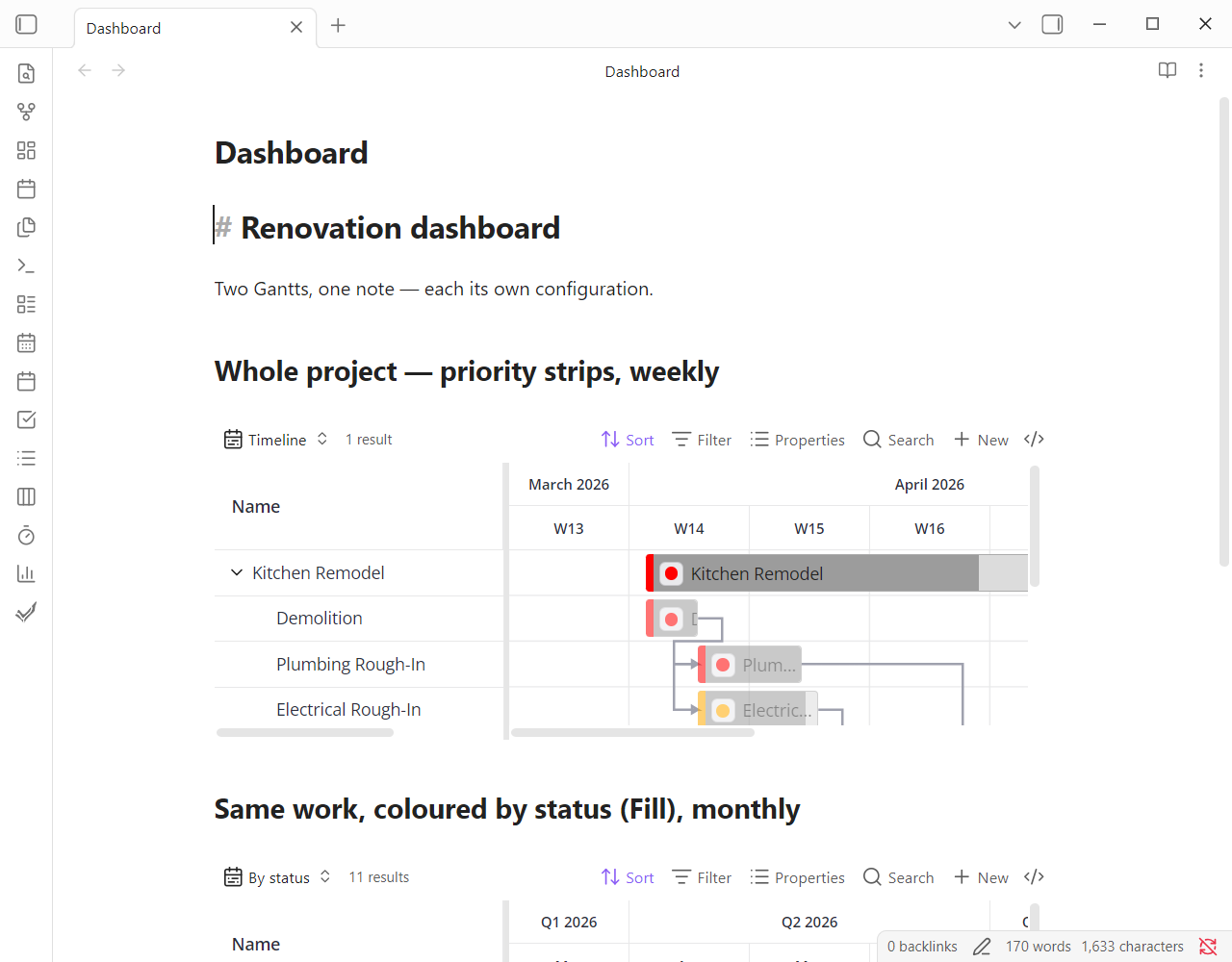
Add a view — standalone or embedded
Where to start
-
New here? Start here
Install the plugin, connect TaskNotes, and get your first chart on screen.
-
How the Gantt thinks
The mental model — who owns your data, how dates become bars, and the two modes (with and without TaskNotes).
-
Dependencies & cascades
The tricky, interdependent behaviors — arrow modes, and how dragging a parent moves its children — explained unambiguously.
-
Every setting, explained
The complete reference for every view option, grouped exactly as the plugin groups them.
Having trouble? The Troubleshooting page covers the common gotchas — no bars, no arrows, missing colors — before you file an issue. Every page also has a search box (press /) that indexes the whole site.